
For podcasters, video editors and clip agencies
Your podcast, cut into captioned shorts. No upload.
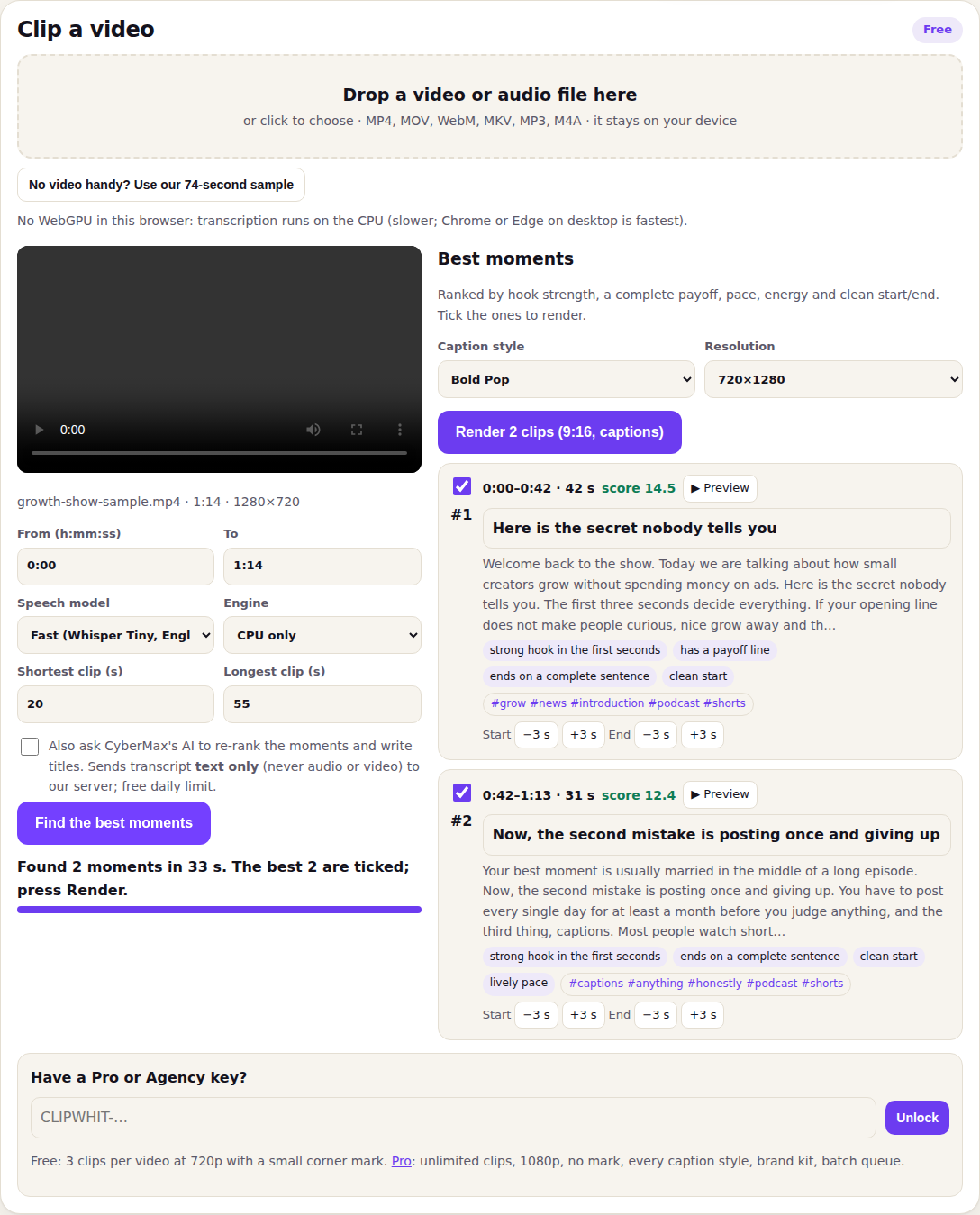
Drop in a long episode. Clipwhit transcribes it, finds the moments worth posting, crops to 9:16 around the speaker and burns in animated captions, all inside your browser. Your video never leaves your computer.
Clip a video
FreeThe free plan clips one video at a time. Pro adds a batch queue.
Choose a video to start.
Best moments
Ranked by hook strength, a complete payoff, pace, energy and clean start/end. Tick the ones to render.
Brand kit
Your clips
Batch queue
Have a Pro or Agency key?
Free: 3 clips per video at 720p with a small corner mark. Pro: unlimited clips, 1080p, no mark, every caption style, brand kit, batch queue.
From a 60-minute episode to posts in three steps
OpenAI's Whisper runs in the browser tab (on your graphics card where the browser allows it). Pick the whole episode or just a range.
Every stretch of 20–55 s is scored for a scroll-stopping first line, a complete payoff, pace, energy and a clean start and end. You see why each one ranked.
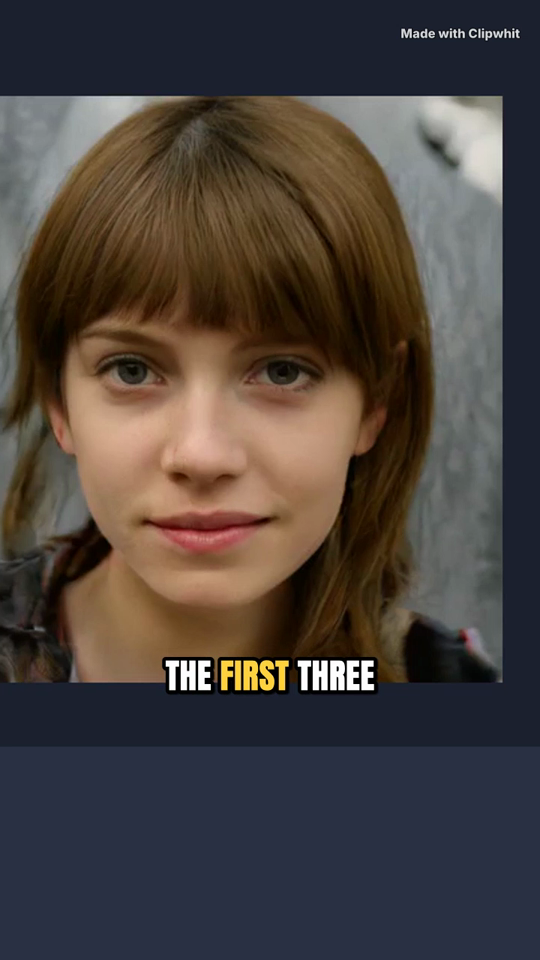
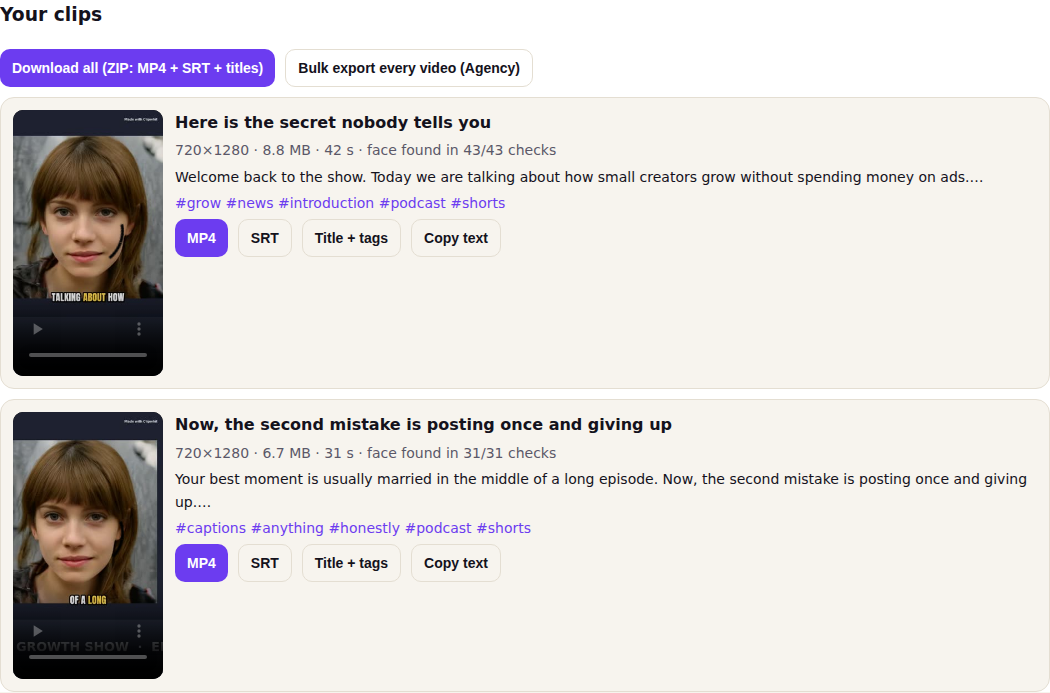
Face tracking keeps the speaker in a 9:16 frame, captions pop word by word, and you get the MP4, an SRT file, a title, a description and hashtags for each clip.
What it looks like
Clipwhit vs the popular clippers
Rival prices from their public pricing pages, checked 29 Sep 2026.
| Clipwhit | Opus Clip | OpenShorts (cloud) | Klap | |
|---|---|---|---|---|
| Entry paid plan | $12/month or $39 once (launch) | $15/month (Starter) | $12/month (100 min) | $14/month billed yearly (100 clips) |
| Your video is uploaded | No, it stays on your device | Yes | Yes (self-hosting is free but needs your own server) | Yes |
| Minutes or credit caps on paid plan | None | Monthly credits | 100 minutes/month | 100 clips/month |
| Free plan | 3 clips per video, 720p, small mark, no sign-up | Yes, watermark | First video up to 60 min, then 20 min/month, watermark | Free trial |
| Captions, 9:16 face crop, titles + hashtags | Yes | Yes | Yes | Yes |
| Speed | Depends on your computer (see FAQ) | Server speed | Server speed | Server speed |
Pricing
Try everything on the free plan first, no card and no sign-up. Checkout by Stripe; your key appears on screen the moment payment finishes.
- 3 clips per video
- 720×1280
- Small "Made with Clipwhit" corner mark
- Bold Pop captions, MP4 + SRT + ZIP
- Unlimited clips, no minute caps
- 1080×1920, no mark
- All caption styles + your brand kit
- Batch queue: clip many episodes in a row
Launch price. Everything in Pro, forever, one payment, no subscription.
Buy lifetime- Everything in Pro
- Unlimited brand kits, one per client
- Bulk export: every clip of every video in one ZIP
For clip agencies
Editors who run a clipping service for podcasters usually pay per upload minute on server tools, then pass that cost on. Clipwhit's Agency plan is a flat $49/month with no minute caps, one brand kit per client (caption colours, font and handle) and one-click bulk export, so a batch of episodes becomes a folder of ready-to-post clips per client. What you charge your clients is up to you; we sell the tool, not a promise of income.
Questions
Why not Opus Clip?
Opus Clip is a good server tool: it's fast and it's polished. You upload every episode to it, and paid plans meter your usage. Clipwhit does the work on your own computer, so nothing is uploaded, there's no minute cap, and Pro costs $12/month (or $39 once at launch) against Opus Clip's $15 Starter and $29 Pro. The trade-off is speed: a server farm is faster than a laptop on long episodes.
Is my video really not uploaded?
Yes. The speech model, face detector and video encoder download once into your browser and run there. The only optional network call with your content is the AI re-rank box, which sends transcript text (no audio, no video) and is off unless you tick it. The licence check sends only your key.
How long does a 60-minute episode take?
Measured on 29 Sep 2026 in a headless Chrome engine on a 4-core cloud computer with no graphics card (the slowest path): a 60-minute episode was transcribed in about 24 minutes with the Fast model, then 5 clips of 35–40 seconds rendered at 720p in 2 minutes 39 seconds (about 30 seconds per clip, face tracking included). So plan on roughly half an hour per hour of audio on a CPU-only machine. A browser with WebGPU (Chrome or Edge on most laptops) moves transcription to the graphics card, which is usually much faster, but we have not measured that yet. Tip: set a From/To range to clip only the part you want. The speech model (about 44 MB) and video engine (about 31 MB) download once and are cached.
Which browsers work?
Chrome and Edge on a desktop or laptop are the tested and fastest choice (WebGPU speeds up transcription). Firefox and Safari use the CPU path; if one of them has trouble with a file, use Chrome or Edge. Phones can open the app, but long episodes need a computer: rendering video in a browser needs memory and time.
What do I get with each clip?
A 9:16 MP4 with burned-in captions, an SRT subtitle file, and a text file with a title, a short description and hashtags. "Download all" gives you one ZIP.
How accurate are the transcript and the picks?
Whisper Tiny is fast and good on clear speech; switch to Base for more accuracy. Moment scoring is a set of editing rules (a strong first line, a finished thought, pace and energy), so always watch a clip before you post it. You can nudge start and end by 3 seconds and edit every title.
How do I get and use my Pro key?
After checkout, Stripe sends you back to a page that shows your key and an "Open Clipwhit with Pro" button. The key unlocks Pro in any browser you paste it into. Subscriptions can be cancelled any time from the manage page; the key works until the paid period ends.
Can I clip any podcast?
Clip your own shows, or shows you have permission to repost. Clipwhit is an editing tool; the rights to the content stay with its owner.
Turn this week's episode into clips
Free for 3 clips per video. Pro is $12/month.
Also from CyberMax
Paste a transcript and see the strongest moments to clip and where they start.
Private in-browser transcription with TXT, SRT and VTT export.
APIs, data briefs and creator tools.